AI & agents
How several specialised AI agents can work together on enterprise tasks, and when a single agent is enough.

These pages open STW Automation, our Microsoft 365 team’s site, in a new tab.
SharePoint Intranet & Portals SharePoint Document Management & Collaboration Microsoft Teams Apps & Extensions SharePoint & Teams Integration Microsoft 365 Setup & Consulting SharePoint Support & MaintenanceMicrosoft Power Platform
Power Apps & Power Platform ↗ Power Automate ↗ Power BI & Analytics ↗ Copilot Studio & AI AgentsAI & business automation
Generative AI: STW.AI SQL Assistant RPA & Process Automation ↗ Intelligent Workflow Automation ↗ Customer Service Automation ↗AI · Dynamics 365 · Microsoft 365
Connect your data. Automate your workflows. Build smarter business systems.
We help growing businesses cut manual work, run finance and sales on one connected platform, and give people answers they can trust, with AI agents, Dynamics 365 and Microsoft 365 designed to work together.
Since 2011Delivering Microsoft business applications from Pune, India
7+ countriesClient projects across the Middle East, Europe, North America and India
In productionBusiness Central, CRM integration, AI document automation and SharePoint solutions delivered for real clients
One teamConsulting, development, integration, migration and support
Client projects in Qatar · Saudi Arabia / UAE · Sweden · United Kingdom · United States · Canada · India
What we do
Specialists in AI and Microsoft business applications, so your ERP, CRM, documents and AI assistants are designed to work together.
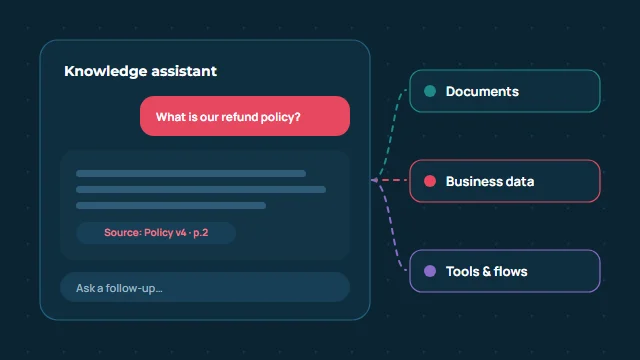
AI & LLM development
AI assistants grounded in your documents, agents that use approved tools and custom LLM applications connected to your business systems.
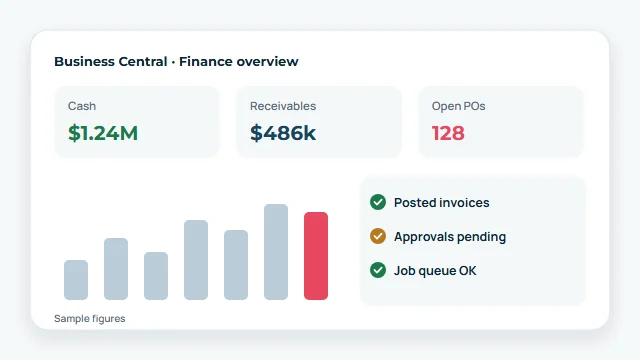
ERP
Implementation, AL development, NAV migration, integrations and support for Microsoft’s cloud ERP.
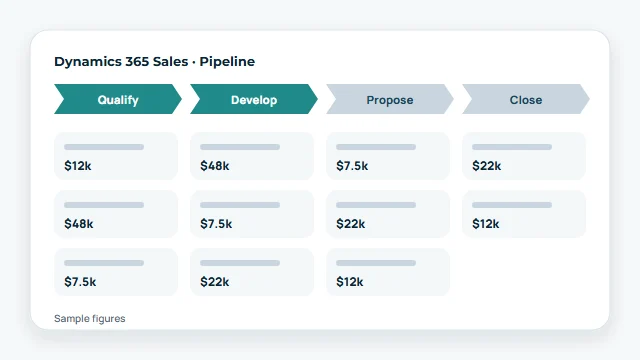
CRM
Dynamics 365 Sales and CRM implementation, development, Business Central integration and CRM migration.
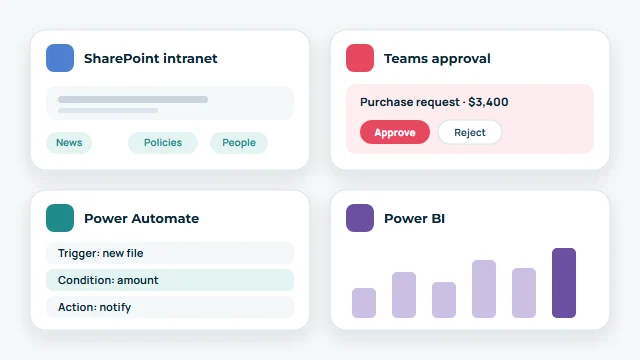
Microsoft 365 & Power Platform
SharePoint intranets and document management, Teams apps and Power Platform automation, set up securely.
AI, LLMs & agents
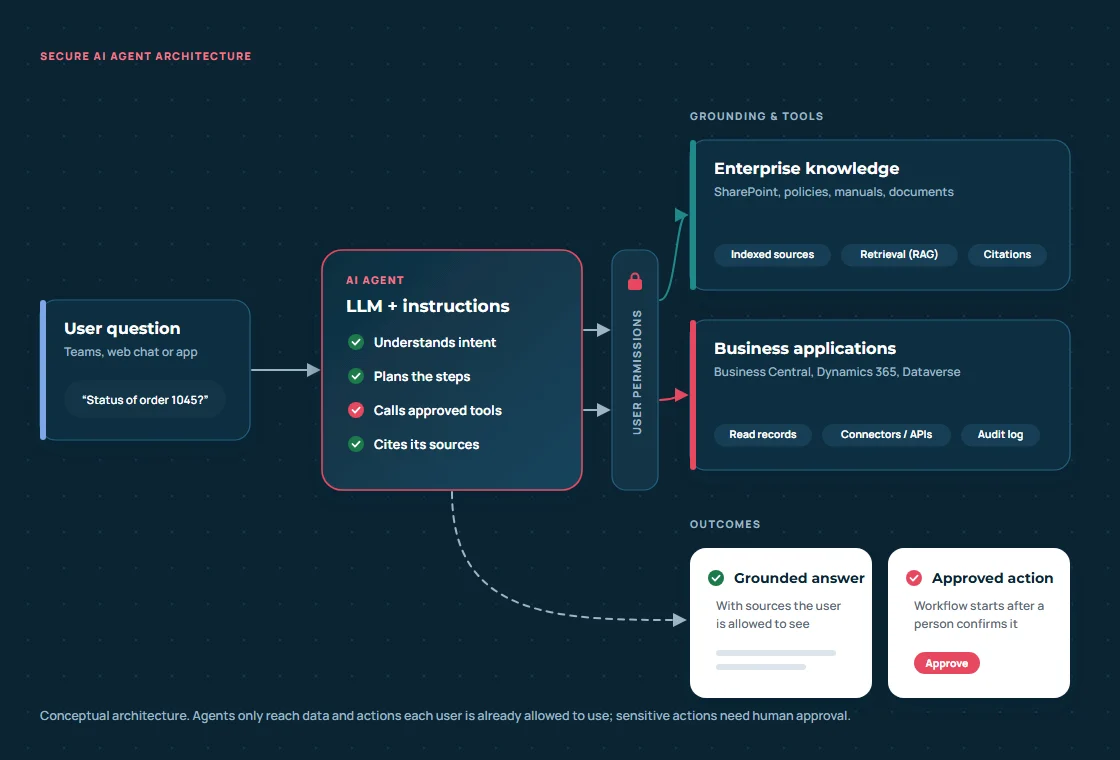
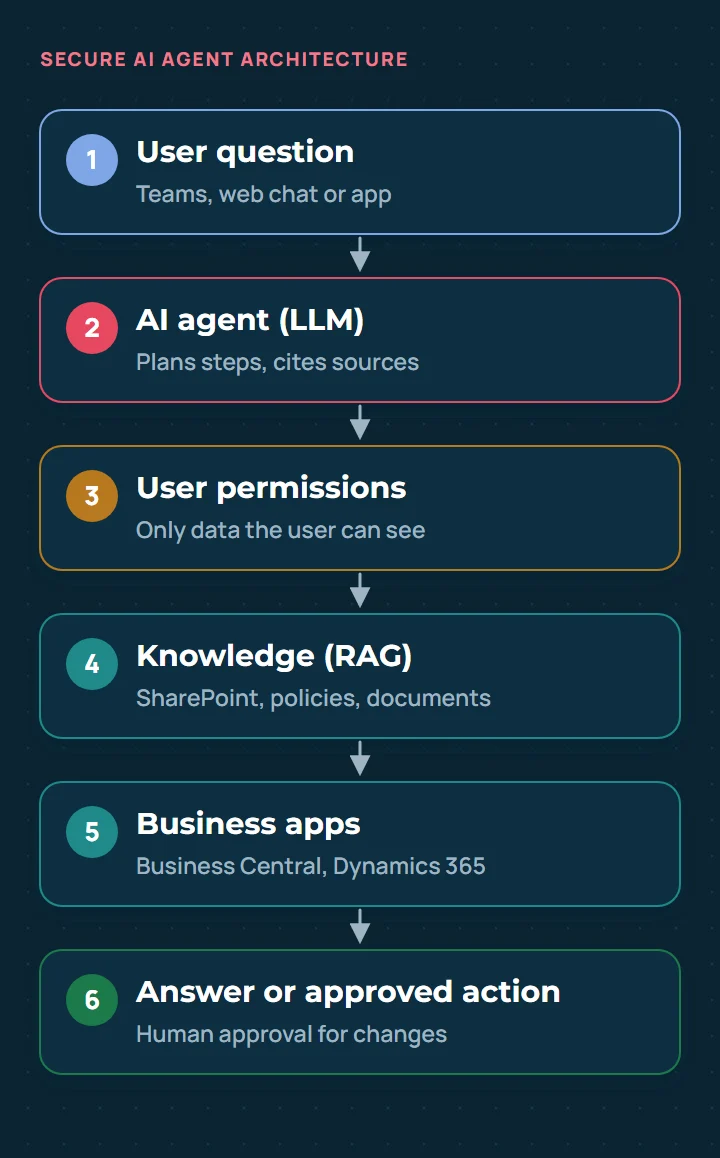
AI that works on your information and inside your processes, with clear boundaries: agents answer from approved sources, use only the tools you allow, respect each user’s permissions and ask a person before anything important changes.
ERP & CRM
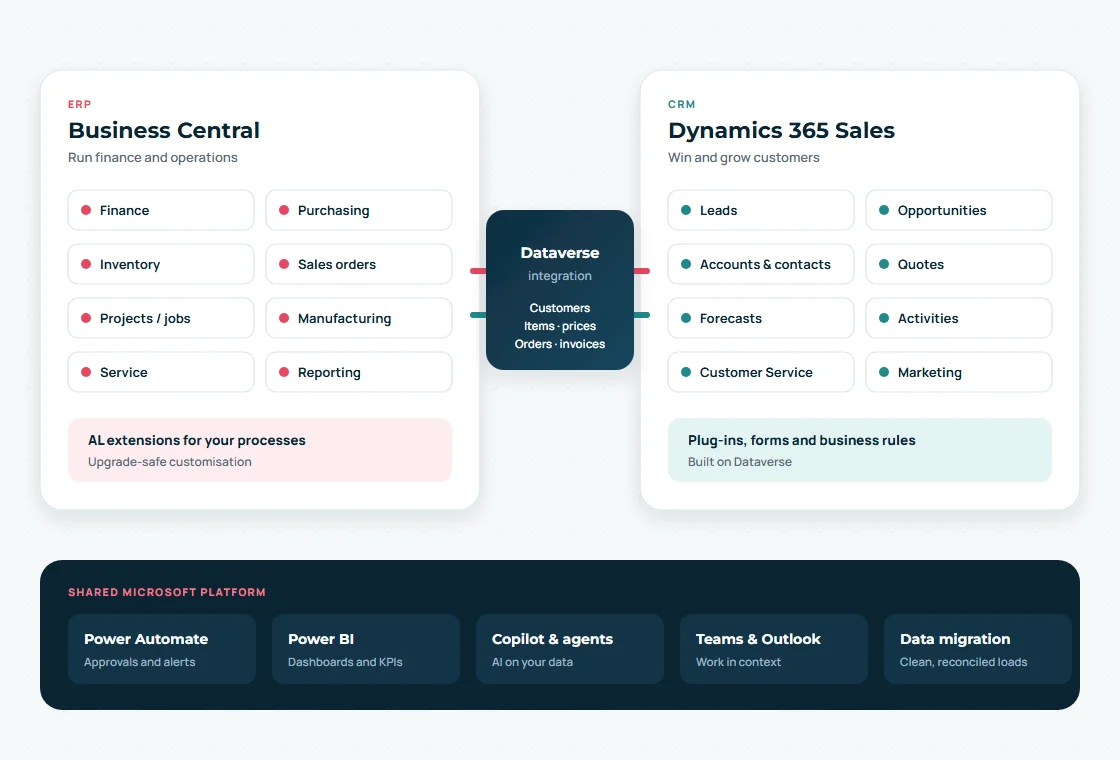
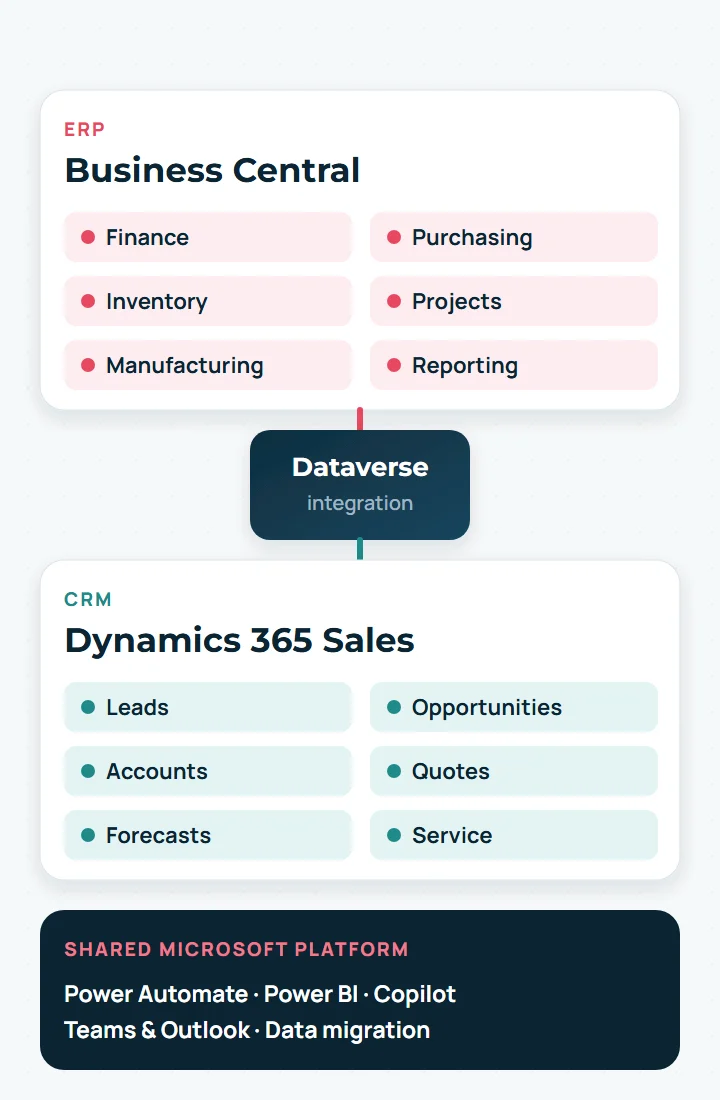
Business Central runs finance and operations. Dynamics 365 Sales runs your customer relationships. We implement, extend and connect both through Dataverse, migrate your data cleanly and support your team after go-live.
ERP · Business Central
Finance, purchasing, inventory, projects and manufacturing in one cloud ERP.
CRM · Dynamics 365
Leads, opportunities, quotes and service on Dataverse, connected to your ERP.
Microsoft 365 & Power Platform
Documents, approvals and teamwork in the tools your people already use, automated with Power Platform and ready for Copilot.
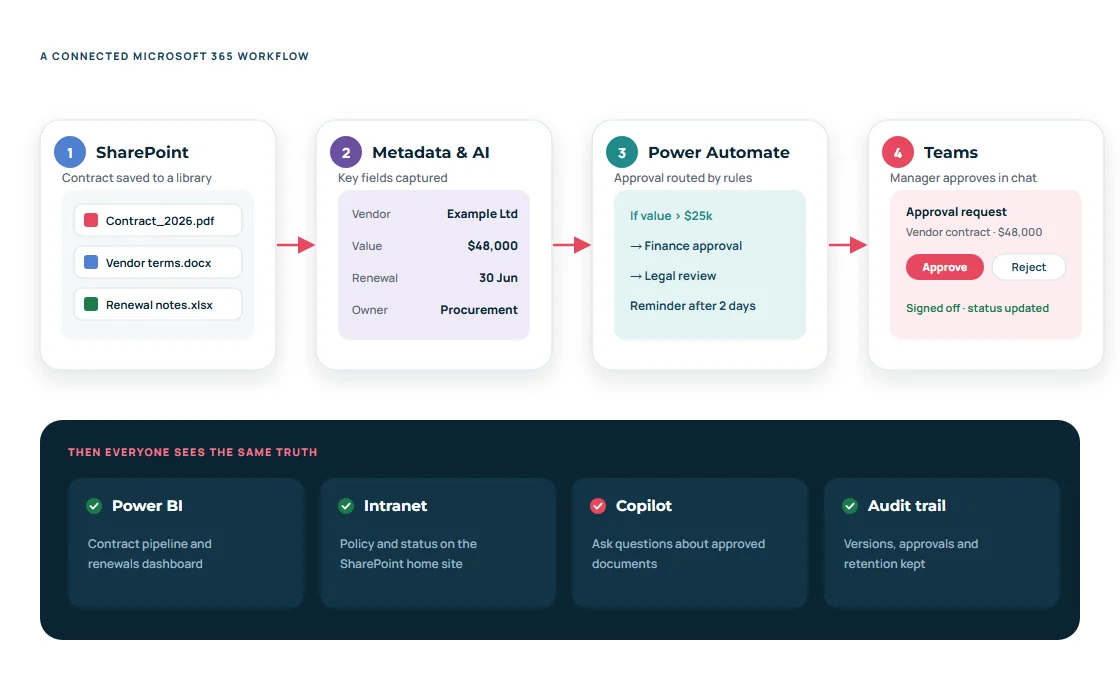
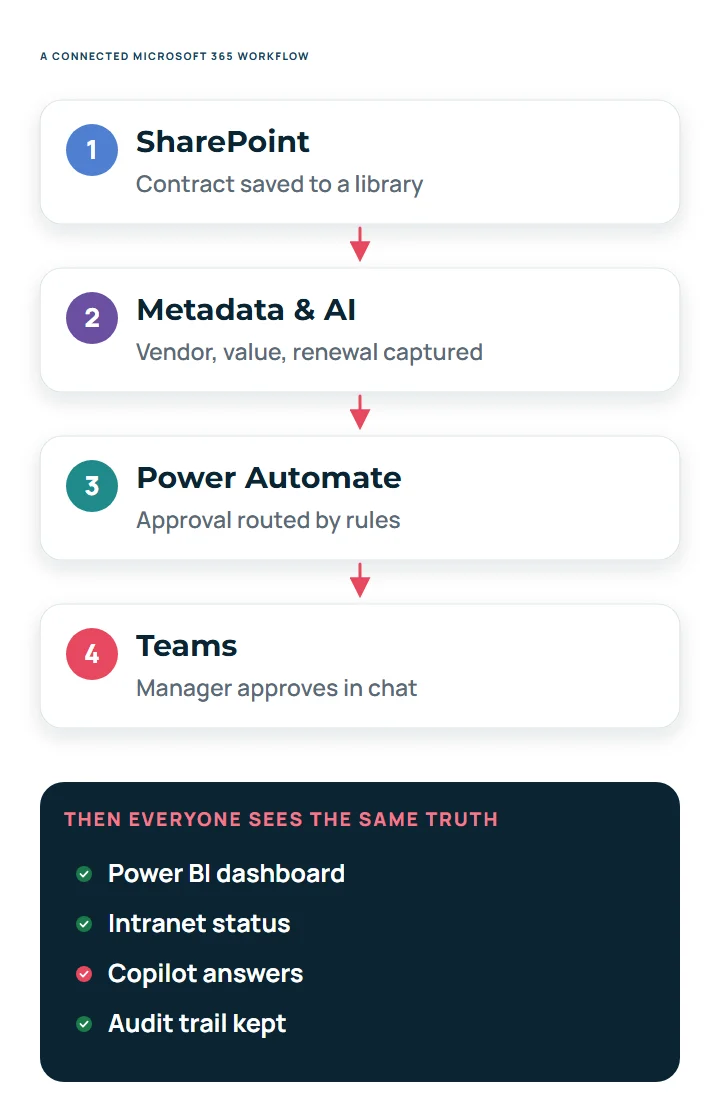
On stw-services.com
Intranets, document management, Teams apps and integrations.
On STW Automation, our related site ↗︎
Low-code apps, workflow automation and reporting. These links open stw-automation.com in a new tab.
Connected intelligent systems
Most of the value appears where systems meet. Here is how AI, Business Central, Dynamics 365 and Microsoft 365 can work together on a single everyday question, with permissions and a person in control.
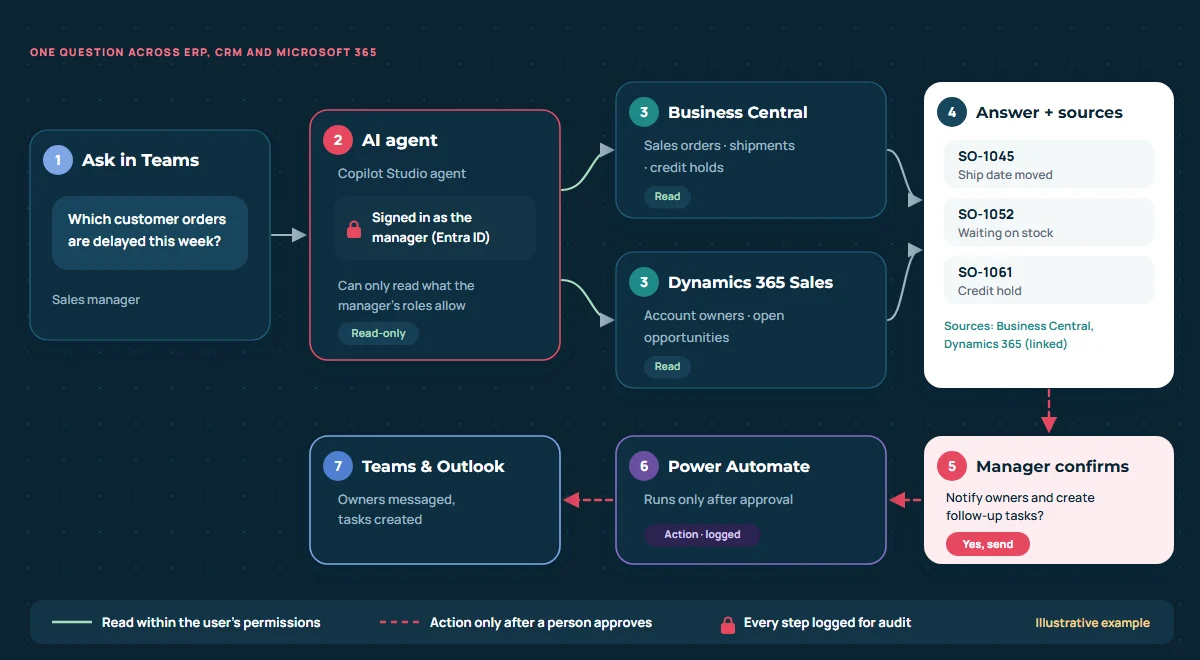
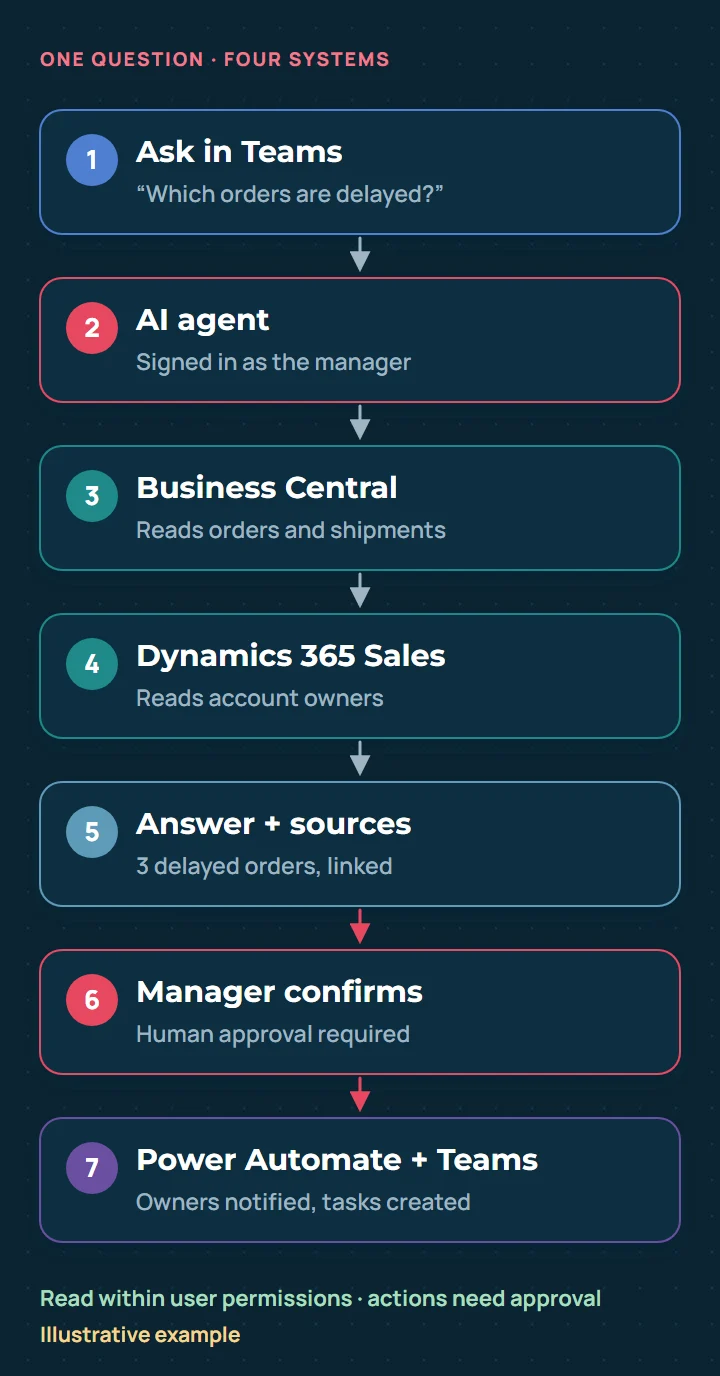
Built-in guardrails
Illustrative example of how these technologies can work together
Real-world solutions
Anonymised examples from STW projects. Client names are withheld and outcomes are limited to what is documented.
AI automation · Business Central
Power Automate · AI Builder · Business Central · SharePoint
Dynamics 365 Sales · Business Central
Dynamics 365 Sales · Dataverse · Business Central · Power Automate · C# plug-ins
ERP implementation
Business Central: Finance · Jobs · Purchasing · Inventory · Sales
Microsoft 365 · Power Platform
SharePoint · Power Automate · Teams · Power Apps
Also from STW
Beyond our core Microsoft and AI work, we support the wider systems your business depends on.
Industries & challenges
Common challenges we help organisations solve. We confirm fit for your industry in a short discovery conversation.
“Stock, orders and production live in different places.”
One ERP for inventory, purchasing and production, with Power BI on top and sales orders synced from CRM.
“Project costs and billing are tracked in spreadsheets.”
Job budgets, cost tracking, approvals and milestone billing in Business Central.
“Store, online and back-office data don’t match.”
Integrations between storefronts, ERP and finance, and clear documentation of how data should flow.
“Invoices are re-keyed and approvals chased by email.”
AI document capture into Business Central and rule-based approvals in Power Automate and Teams.
“There is no single view of the customer.”
Dynamics 365 Sales with clean migrated data, connected to ERP and to WhatsApp conversations.
How we deliver
A clear, repeatable path from requirement to working system, with your team involved at every step.
01
Workshops on goals, processes, data and constraints.
02
Architecture, data model, security and a phased plan.
03
Build in short iterations you can see and test.
04
Connect systems, migrate data and test end to end.
05
Go-live, training and documentation for your team.
06
Monitoring, fixes and continuous improvement.
Insights & resources
AI & agents
How several specialised AI agents can work together on enterprise tasks, and when a single agent is enough.
Copilot Studio
A walkthrough of an agent that handles travel requests, approvals and follow-ups inside Microsoft 365.
Business Central
Extend Business Central disaster recovery past Microsoft’s built-in retention with scheduled full exports.
Dynamics 365
Route purchase documents for approval with Power Automate, with rules, reminders and an audit trail.
Microsoft 365
Practical prompt patterns that help teams get reliable results from Copilot in Word, Outlook and Teams.
Power Platform
A step-by-step guide to approval flows for quotes and orders, from trigger to notification.
Next step
Tell us about your business requirements. We’ll explore how the right architecture, integrations and automation can help, and reply with practical next steps.
Prefer email? support@stw-services.com · Call +91 9112-041-412 · Or use our full contact form.